Schedule a call!
Most HR teams do not need another tool that looks impressive in a demo and becomes a problem three weeks later.
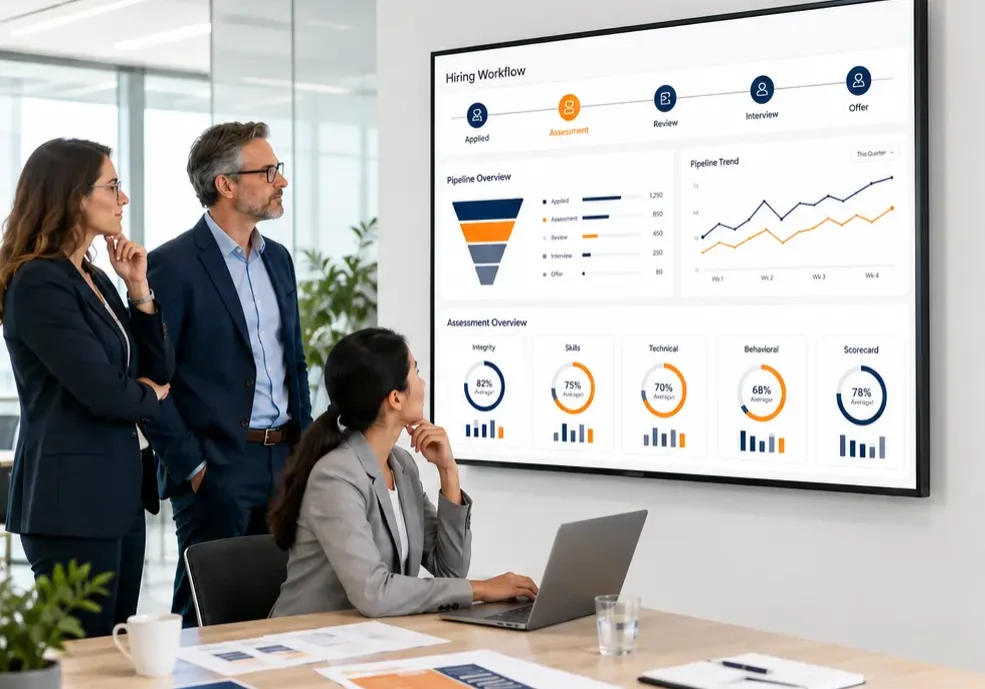
They need easy to integrate pre-hiring assessment tools that fit into the hiring process recruiters already use. The assessment should be simple for candidates, visible inside the ATS, easy for hiring managers to understand, and practical enough that the recruiting team does not quietly work around it.
That is where many assessment projects succeed or fail.
The issue is rarely whether assessments are useful. A well-chosen assessment can help HR teams screen more consistently, reduce manual review, and make stronger hiring decisions. The harder question is whether the tool can be added without slowing the team down.
For a broader vendor-selection view, see our guide to top talent assessment tools that integrate with ATS. This article focuses on a narrower but very important question: which tools are easiest to put into a real pre-hiring workflow?
What “Easy to Integrate” Really Means
A tool is not easy to integrate just because the vendor says it has an API.
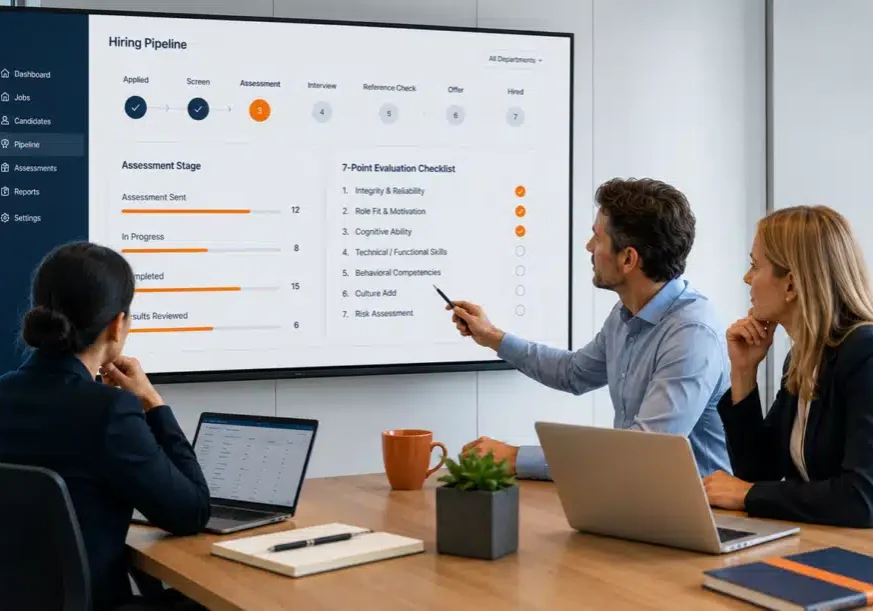
For HR teams, easy integration means the assessment can be launched, completed, scored, and reviewed without creating extra work at every step.
The best setup usually includes:
| Integration need | What HR should expect |
| Simple launch | Candidates can receive the assessment without manual spreadsheet work |
| ATS visibility | Recruiters can see assessment status or results in the hiring workflow |
| Mobile access | Candidates can complete the assessment from a phone or desktop |
| Clear output | Recruiters understand what the result means |
| Low IT burden | Setup does not require a long custom development project |
| Clean documentation | Results are stored in a way HR can review later |
The point is not to make the technology impressive. The point is to make the workflow usable.
A helpful primer on what an ATS is and how it works explains why the ATS should stay at the center of the hiring process. Candidate information, screening activity, interview movement, and decisions all become easier to manage when they stay in one organized system.
Where Pre-Hiring Assessments Fit Best
Pre-hiring assessments are most useful before too much recruiter and manager time has already been spent.
For high-volume roles, that usually means after minimum qualifications are confirmed and before the first live interview. For specialized roles, it may mean after recruiter review but before the hiring manager interview. For leadership roles, deeper assessments often belong later in the process.
A simple rule works well:
Use short, clear assessments earlier.
Use longer or more interpretive assessments later.
That keeps the candidate experience reasonable and protects recruiter time.
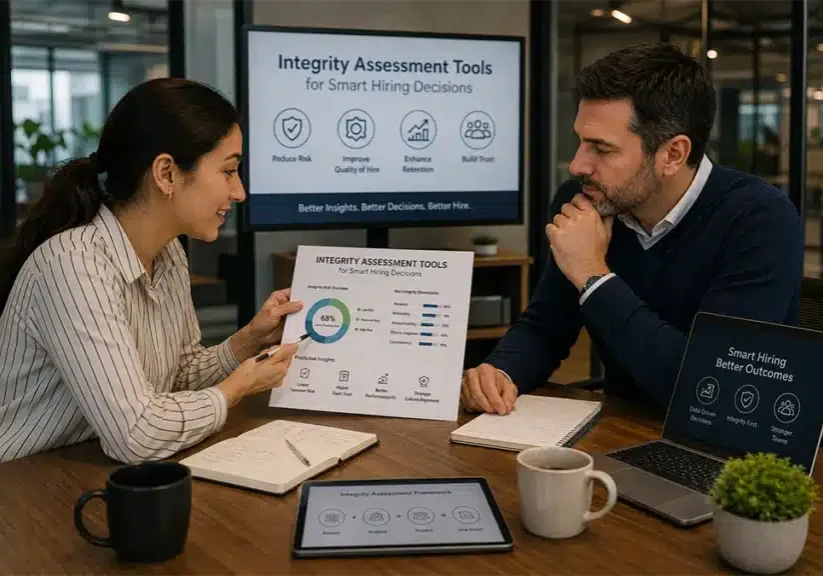
If your team is evaluating integrity, reliability, workplace conduct, or preventable hiring risk, an integrity assessment may belong early in the funnel. For more context, see our guide to integrity assessments in hiring.
The Integration Test HR Should Use Before Buying

Before choosing a vendor, ask one practical question:
Could a recruiter use this every day without needing a workaround?
If the answer is no, the tool is probably not as easy as it looks.
Use this checklist before buying:
| Question | Why it matters |
| Can candidates take the assessment from any device? | Reduces drop-off and support issues |
| Can the assessment be sent automatically or with minimal clicks? | Protects recruiter productivity |
| Does the result return to the ATS or hiring workflow? | Keeps data visible |
| Is the output easy to act on? | Avoids interpretation delays |
| Can HR control who receives the assessment? | Supports consistency |
| Does the vendor provide documentation for compliance review? | Reduces legal and audit risk |
| Can the tool launch without heavy IT involvement? | Speeds implementation |
A tool may have strong science, a deep test library, or advanced reporting, but if recruiters have to leave the ATS, chase results, or explain confusing reports to hiring managers, adoption will suffer.
Three Easy-to-Integrate Pre-Hiring Assessment Tools to Compare
The right choice depends on the hiring problem. Integrity screening, skills testing, and applicant tracking are different needs, even though they often sit close together in the hiring workflow.
IntegrityFirst Tests
IntegrityFirst is best suited for employers that need a fast, practical way to screen for integrity, reliability, and workforce risk before interviews consume recruiter and manager time.
It is especially relevant for high-volume or risk-sensitive hiring in industries like staffing, construction, healthcare support, logistics, manufacturing, retail, and hospitality.
IntegrityFirst can integrate with virtually any ATS or hiring platform, requires no additional software, and candidates can complete an 8-minute assessment through a secure online link. It is also natively part of the Discovered hiring platform. (integrityfirsttests.com)
Best fit: HR teams that want a low-friction integrity screen before interview scheduling.
Integration advantage: Fast candidate access, simple completion, clear Qualified / Non-Qualified results, and flexible use with existing hiring platforms.
Watch-out: Use it where integrity, reliability, safety, absenteeism, theft, turnover, or conduct risk are real hiring concerns. Do not treat any assessment as a universal fix for every role.
Xobin
Xobin is a stronger fit when the hiring team needs broader skills testing, technical assessments, psychometric testing, AI interviews, and proctoring.
Its public positioning emphasizes skill assessments, behavioral assessments, AI interviews, hiring workflows, and advanced proctoring. (xobin.com)
Best fit: Technical, remote, or skills-heavy hiring where the key question is whether the candidate can perform specific tasks.
Integration advantage: Useful for teams that need test libraries, coding or skills evaluations, video-based assessment, and more advanced proctoring.
Watch-out: More assessment depth can mean more setup decisions. HR should confirm which ATS connections are supported, how scores return, and how much configuration is required.
VIVAHR
VIVAHR is more of a recruiting and ATS workflow tool than a dedicated integrity assessment platform. It is useful for small and midsize businesses that want hiring pipeline management, job posting, candidate tracking, team collaboration, and recruiting automation.
Public listings describe VIVAHR/AvaHR as an ATS and hiring software solution focused on applicant tracking, job posting, and workflow support for smaller teams. (AvaHR)
Best fit: SMBs that need a simpler hiring system before adding specialized assessments.
Integration advantage: Helpful when the main problem is organizing applicants, job postings, pipelines, and hiring team communication.
Watch-out: If the core need is validated integrity screening, role-specific skills testing, or assessment science, HR may need a specialized assessment partner in addition to the ATS.
Quick Comparison: IntegrityFirst vs. Xobin vs. VIVAHR
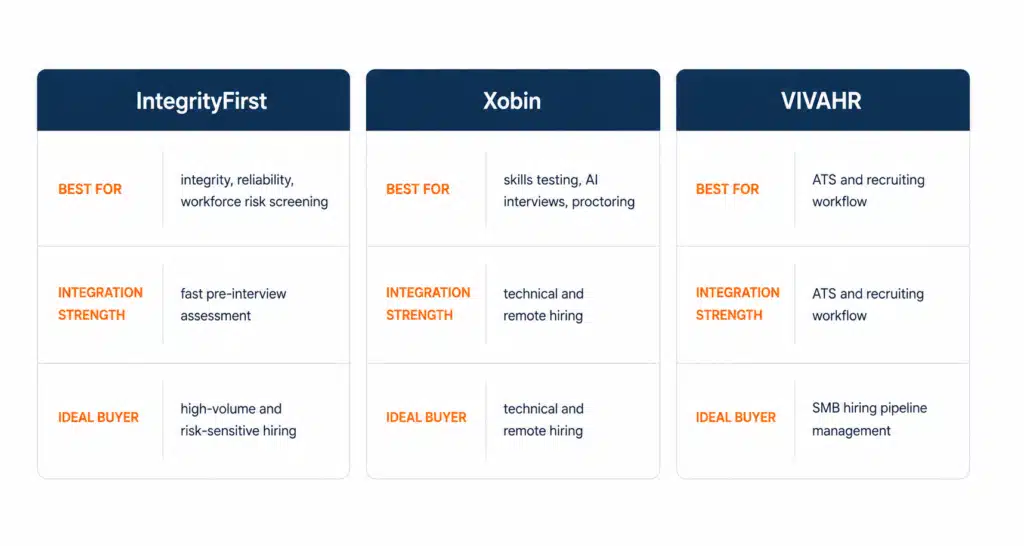
This is why the “best” tool depends on the problem.
If recruiters are spending too much time on candidates who are unlikely to be reliable, IntegrityFirst is the better fit. If the problem is technical skill verification, Xobin may be more relevant. If the hiring process itself is scattered, VIVAHR may help organize the workflow before specialized assessments are added.
What Easy Integration Should Not Sacrifice
A fast setup is valuable, but speed should not replace good assessment practice.
The EEOC notes that employment tests and selection procedures can help employers identify qualified applicants, but they can create legal issues if used in a discriminatory way or if they disproportionately exclude protected groups without proper justification. The EEOC also advises employers to ensure tests are properly validated for the roles and purposes where they are used. (Comisión de Igualdad Laboral EE.UU.)
That means HR should still confirm:
- The assessment is job-related.
- The same process applies to similarly situated candidates.
- Recruiters understand how to use the results.
- Candidate communication is clear and neutral.
- Results are documented.
- Outcomes are reviewed over time.
The U.S. Office of Personnel Management also emphasizes that effective assessment starts with job analysis and a clear connection between job tasks, competencies, and assessment content. (U.S. Office of Personnel Management)
In other words, easy integration should mean less friction, not less discipline.
Signs a Tool Will Be Easy for Recruiters to Adopt
Recruiter adoption is the real test.
A pre-hiring assessment tool is likely to stick when:
- The candidate invitation is easy to send.
- The assessment takes a reasonable amount of time.
- The status is visible without asking another team.
- The result is clear.
- Hiring managers understand the output.
- The vendor can explain setup without hiding behind technical language.
- The tool works for the roles where HR actually needs it.
One simple way to test this is to ask the vendor to walk through a real role, not a generic demo.
For example:
“We are hiring 80 warehouse associates per month across five locations. Show us exactly when the assessment would be sent, what the candidate sees, what the recruiter sees, what the hiring manager sees, and where the result is stored.”
That answer will tell you more than a feature list.
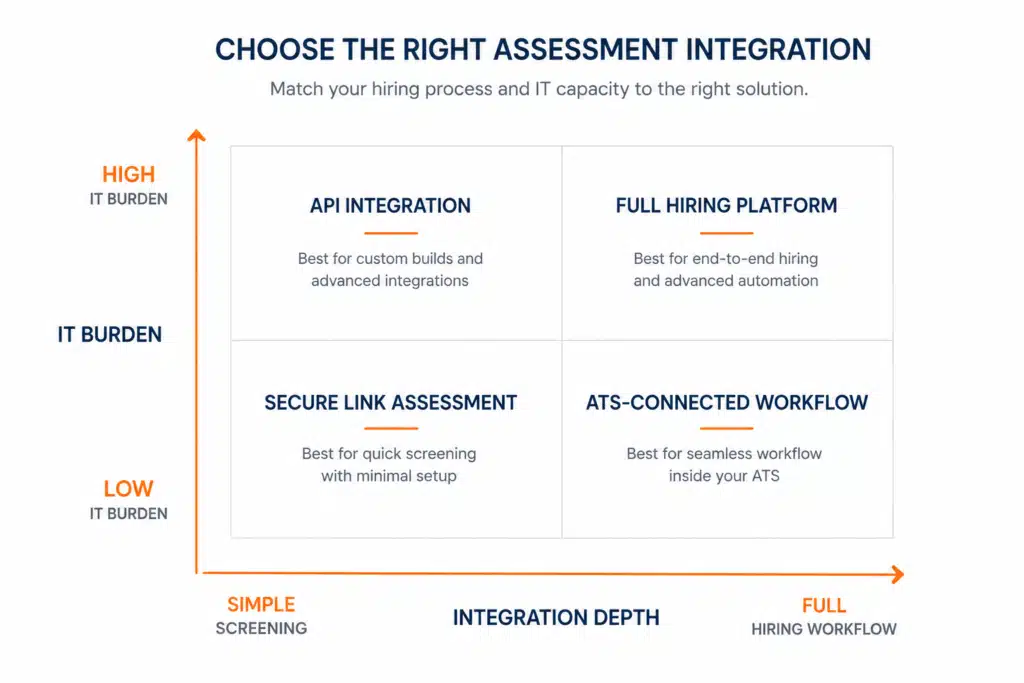
When to Use a Secure Link, ATS Integration, or Full Hiring Platform
Not every company needs the same level of integration on day one.
| Setup | Best use |
| Secure assessment link | Fast launch, low IT involvement, simple candidate access |
| ATS-connected workflow | Recruiters need results visible inside the hiring pipeline |
| API integration | Larger teams need deeper automation or custom data flow |
| Full hiring platform | The company wants ATS, assessments, workflows, scorecards, and automation together |
A secure link can be enough for a small or fast-moving team. A native ATS workflow may be better for high-volume hiring. A full platform makes more sense when the company wants to modernize the entire recruiting process, not just add one assessment.
For online delivery considerations, see our guide to online integrity assessments for hiring.
Demo Questions to Ask Every Vendor
Before signing, ask these questions:
- How quickly can we launch for one role family?
- What does the candidate experience look like on mobile?
- What data returns to the ATS?
- Can recruiters see completion status without opening another system?
- Can we control which jobs receive which assessments?
- What does the report look like for a busy hiring manager?
- What validation or compliance documentation is available?
- What support do you provide during rollout?
- What happens if we change ATS later?
- How do we measure completion, pass-through, and outcome quality?
The best vendors will answer in workflow language, not just product language.
Final Takeaway
The easiest assessment tool is not always the one with the most features. It is the one your hiring team can actually use without slowing down the process.
For employers that need a fast, practical way to screen for integrity, reliability, and workforce risk, IntegrityFirst Tests is built for the pre-interview stage. It helps HR teams identify risk earlier, protect recruiter time, and bring more structure to high-volume hiring decisions.
For companies that want the assessment to live inside a broader hiring ecosystem, Discovered brings the bigger picture together. Discovered includes applicant tracking, workflow management, candidate assessments, custom skill tests, scorecards, interview tools, and hiring automation in one platform. Its ATS content also states that Discovered partners with IntegrityFirst to provide integrity testing alongside skills assessments and applicant tracking. (Discovered.ai)
That gives employers two paths.
If your ATS is already working and you only need a low-friction integrity screen, schedule an IntegrityFirst demo.
If your team wants ATS, assessments, automation, scorecards, and workflow visibility in one connected hiring system, book a Discovered demo.
Either way, the goal is the same: make pre-hiring assessment easier to launch, easier for candidates to complete, and easier for recruiters to trust.